Google Ads conveniently publishes an optimization score within every account. The goal is to show how well an account is optimized (hence the name - optimization score). It’s unfortunately not a direct indicator for how effective your account is.
Your opti-score recommendations that you'll receive is largely generated based on the campaigns you've already implemented. It does occasionally suggest new campaigns that you should be activating and I believe it's largely based on the selected conversion goals.
A Google Ads account with a high optimization score can miss its goals and an account with a low score can exceed its marketing goals.
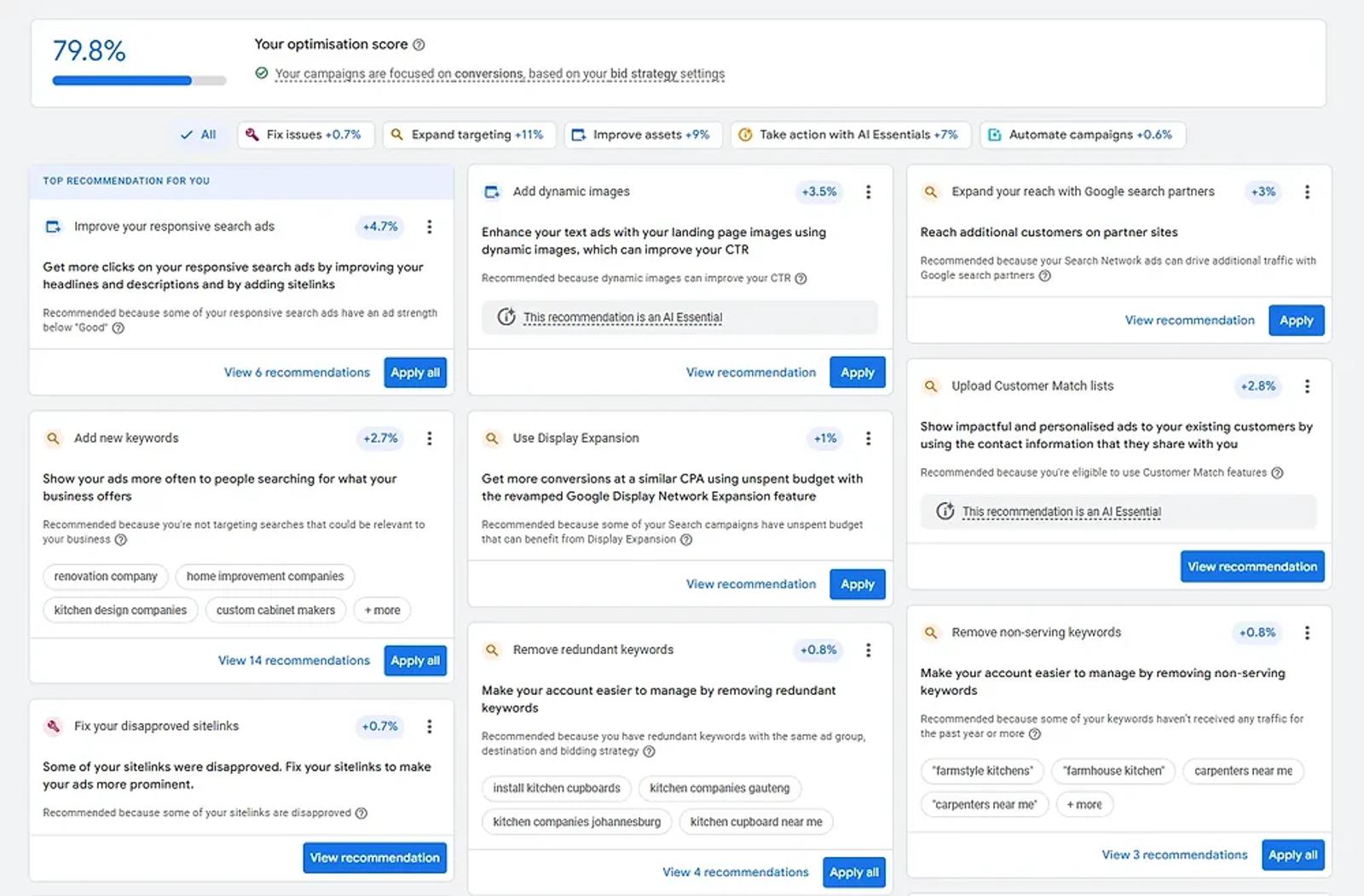
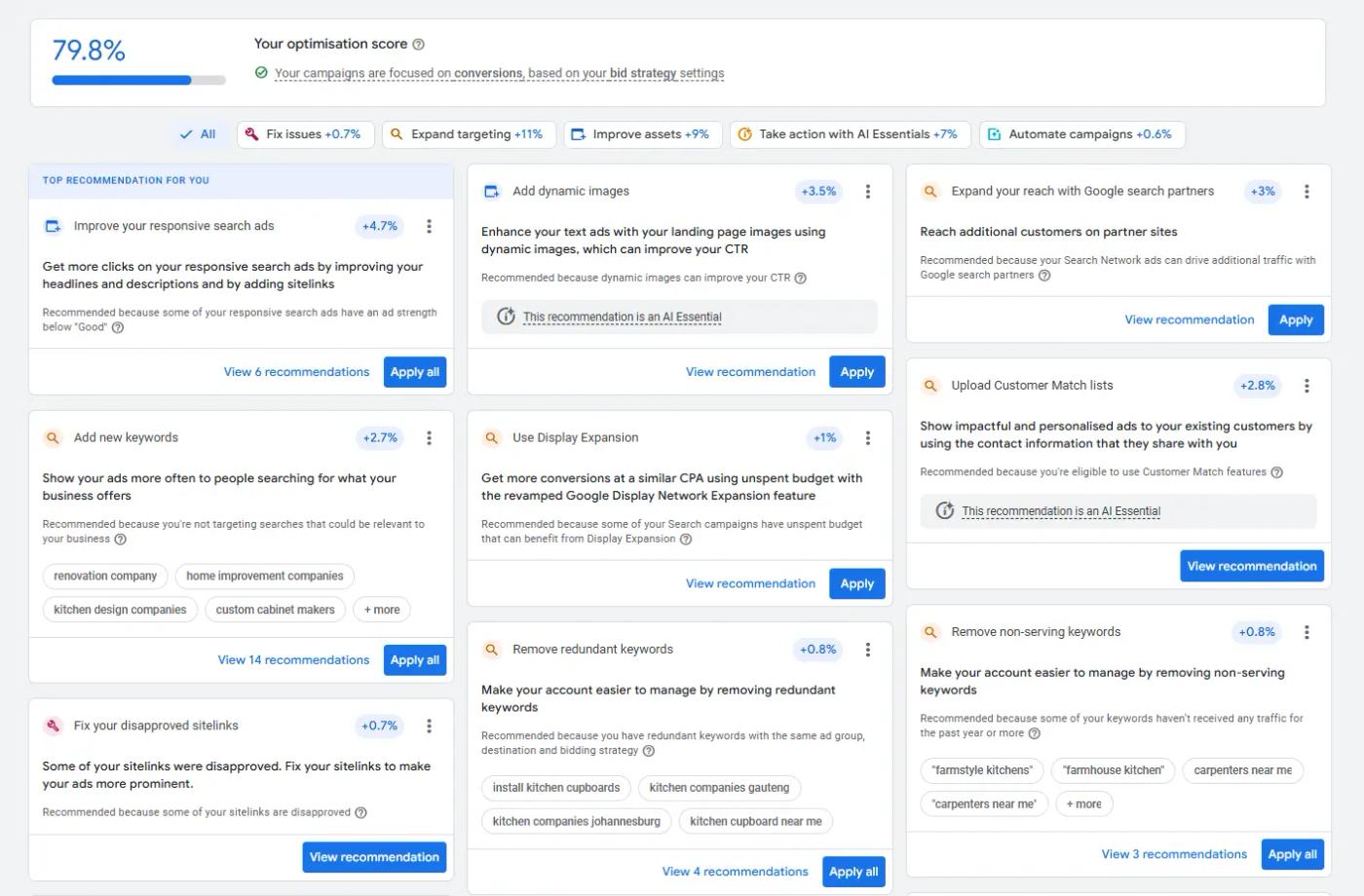
Example of the opti-score dashboard:
How is the Google Ads optimization score calculated?
It's dynamically calculated based on the campaign type and goals assigned to each campaign. Different selected goals or conversion actions will prompt different recommendations.
Each percentage impact or score lift is what the system determines impacts your performance the most.
Opti-score in of itself does not have an impact at auction time nor is it used when calculating your ad rank. It is rather a predictive measurement from Google (a yardstick) on whether your account could perform.
How often does Google Ads update the optimization score?
This is dynamically determined - you may dismiss a recommendation today and that same recommendation could reappear a couple of days later.
I do notice that opti-scores, if left alone, will decrease over time. This is quite normal as Google's suggestions accumulate naturally within any given account.
What is a good optimization score for Google Ads?
In most cases - aim for 80% or higher.
Just remember that a higher optimization score does not guarantee better results. It does however, help with a more complete Google Ads advertising account and helps you implement many of the available features across bidding, targeting, assets and ads.
What type of recommendations are provided through the opti-score dashboard?
Example #1 : Increase your daily budget

You’ll receive a higher score when you increase your daily budget as the system determines that you’ll get more clicks & conversions with a higher budget. Of course, this isn’t always possible for many advertisers as the current budget set is the one which the business has available for Google Ads.
Example #2 : Turn on search partners
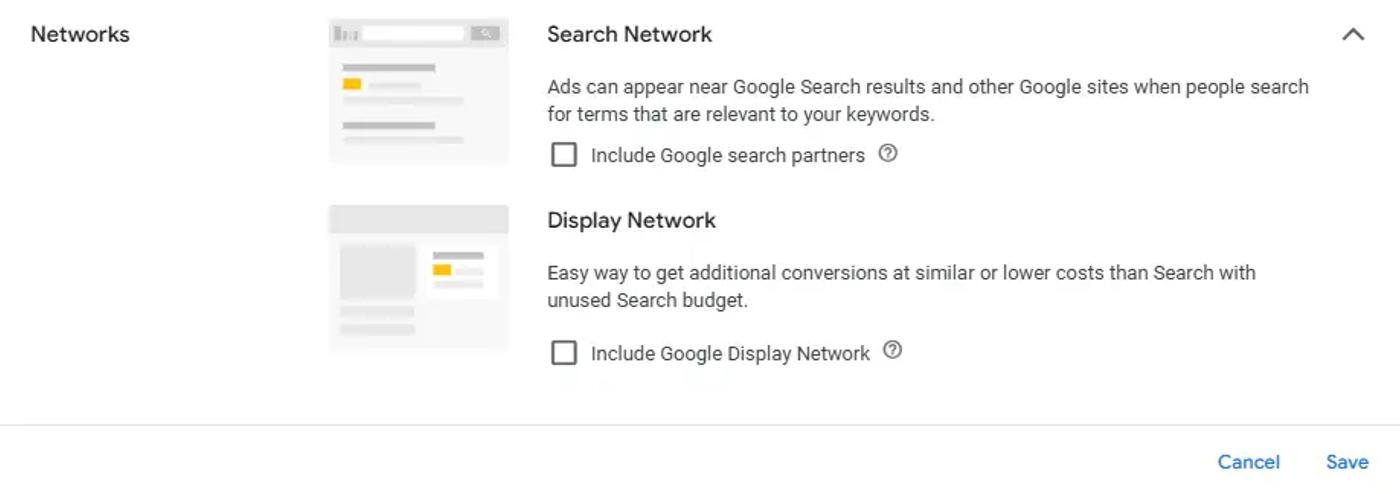
Turning on Google Search partners allows your ads to serve on other affiliated search engines. In South Africa that would be the likes of Gumtree, parked domains or other directories.
I think you’ll agree that traffic from these types of areas are not the same as google.co.za or google.com . I therefore advise clients to turn off search partners in most cases.
Example #3 : Turn on display expansion

This setting will show your ads on the display network which spans over 2 million websites. That is vastly different from showing your ads on a search engine and the results will be too. From my testing, it's a format better suited for re-marketing or awareness rather than a lead generation campaign type. This setting is better turned off for many advertisers and tested separately from search campaigns.
How to use the optimization score dashboard
The best use case I can recommend for it is an idea generator for a PPC manager or specialist to use when optimizing an account and not as a barometer for how well an account is performing.
When should you apply opti-score recommendations?
The short answer is, when it makes sense for your account goals and on a case by case basis.
What are the category types of suggestions for the optimization score?
Briefly, these suggestions fall in one of the buckets below:
- Fixes or disapprovals - These are usually sitelinks or other ad extensions with 404 errors or any other type of issue that would prevent serving. (useful).
- Expanded targeting - Increasing your targeting settings, adding new keywords, uploading customer lists or turning on display settings. (use case by case).
- Improve assets - Adding images, logos or improving responsive search ads. (useful).
- AI essentials or other automated settings - Test these changes out first before auto applying.
Fixes or disapprovals
Expanded targeting
Improve assets
AI essentials or other automated settings
Can I see my optimization score for individual campaigns?
Indeed you can.
Simply filter by campaign type or select the campaign in the recommendations tab to see the recommendations for a particular campaign.
Optiscore conclusion
A recent study from Optmyzr showed some correlation between better performance outcomes in Google Ads accounts that receive 90%+ scores and accepts Google's recommendations.
My own opinion is that you should not automatically apply each recommendation the platform surfaces. Rather use the opti-score dashboard as an idea generator for your own PPC strategy and consider each recommendation against your business goals.